Layer 2 same-VLAN flows: the biggest single saving in your VCF rulebook
Traffic between two components on the same VLAN never crosses a firewall, yet the ports catalogue lists it like any other flow. Removing it took 408 rules out of one customer's rule set.
Of all the steps in a VCF firewall assessment, one consistently removes more rules than any other: taking out flows where both ends sit on the same VLAN.
Why these rules exist in the first place
The Broadcom ports catalogue describes flows between components: vCenter to ESX, NSX Manager to an Edge, and so on. It does not know your design. It cannot tell whether two components share a VLAN or sit on either side of a firewall, so it lists every flow the same way.
If both endpoints are on the same VLAN, the traffic is switched at Layer 2. It never reaches a router, let alone a firewall. A rule for it is noise in the change request, and noise makes reviews slower and mistakes more likely.
What it looked like for ACME
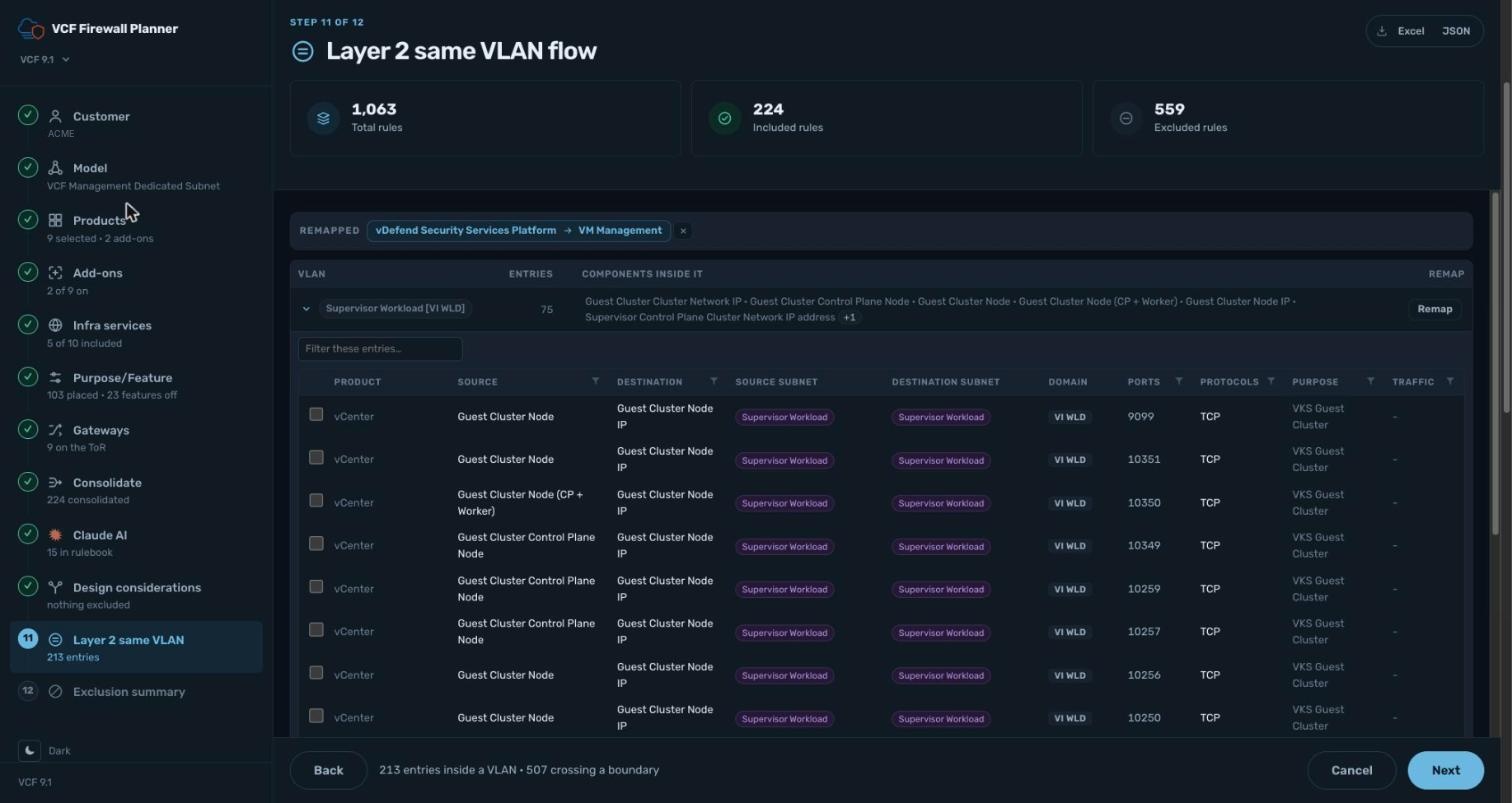
In the ACME assessment, on network Model 2:
- 213 entries stay inside a single VLAN and need no rule.
- 507 entries cross a VLAN boundary and do need one.
- After this step and consolidation, the included rule set drops to 224.
Measured against the rule count just before it, the Same L2 step removed 408 rules on its own, more than any other step.
The network model drives the answer
Which components share a VLAN depends on the network model you chose in step 2. The planner uses that model to place each component on a VLAN, then compares the source and destination of every flow.
Pair it with the gateway step
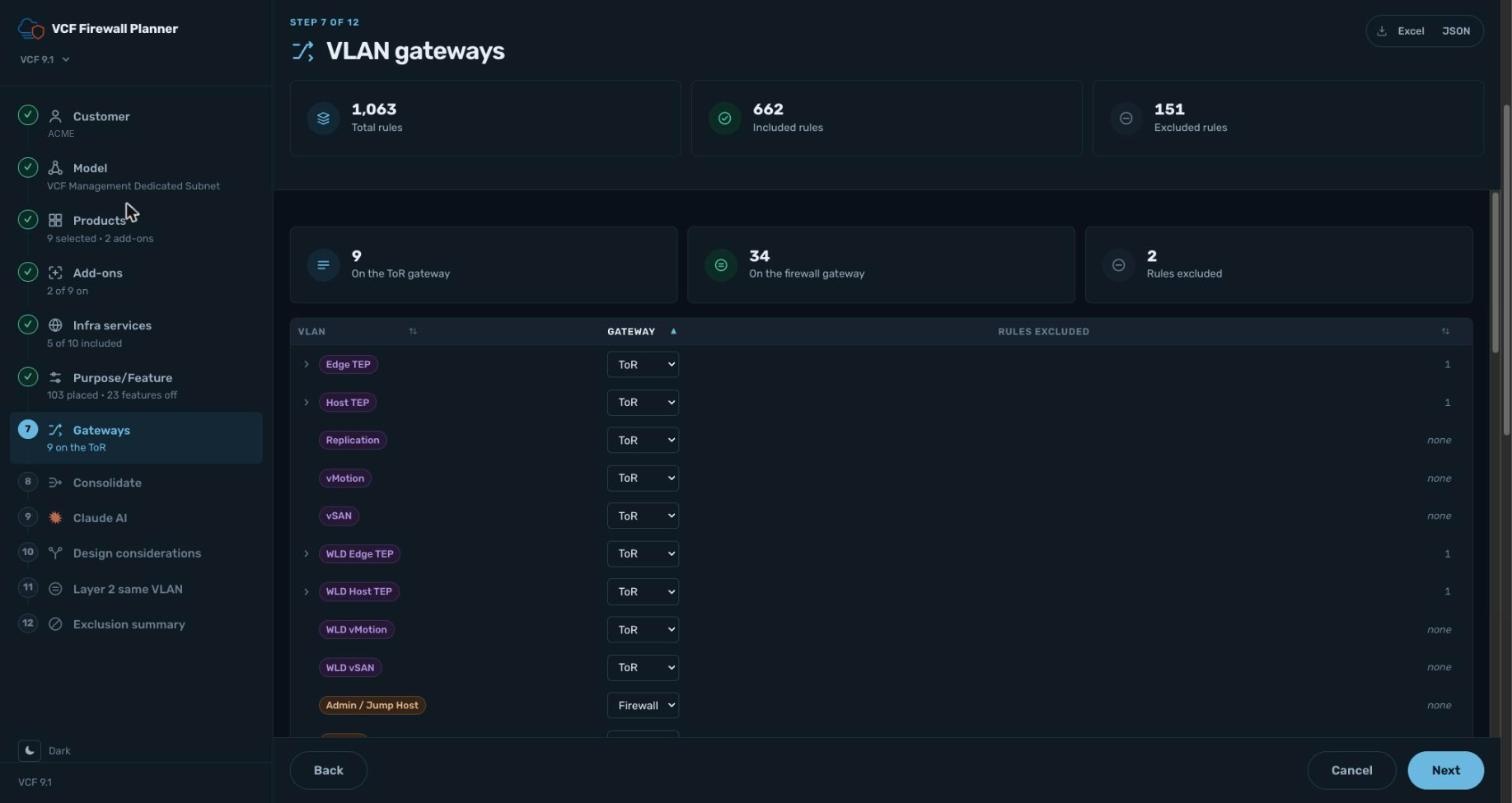
Same-VLAN removal has a close cousin: flows between two VLANs that are both routed on the top-of-rack switch. Those cross a VLAN boundary but still never reach the firewall. Step 7 marks each VLAN as routed on the ToR or the firewall, and removes flows with both ends on the ToR, including TEP-to-TEP traffic.
Together, these two steps answer the question the catalogue cannot: does this flow ever touch the firewall?
Checklist before you sign off
- Confirm the network model matches the as-built design.
- Check every component's VLAN, and remap any that differ.
- Mark the gateway for every VLAN: ToR or firewall.
- Review the excluded same-VLAN flows in the exclusion summary with the network team.
Try it on your own design with the VCF Firewall Planner.